 Collect
A scrapbook for plant-cell observations.
A place to dump and organize video, images, reference PDFs, and notes
before they become a book. The folder you pick is the book — every
page is just a folder on disk, so nothing here locks your work away in an
app-specific format.
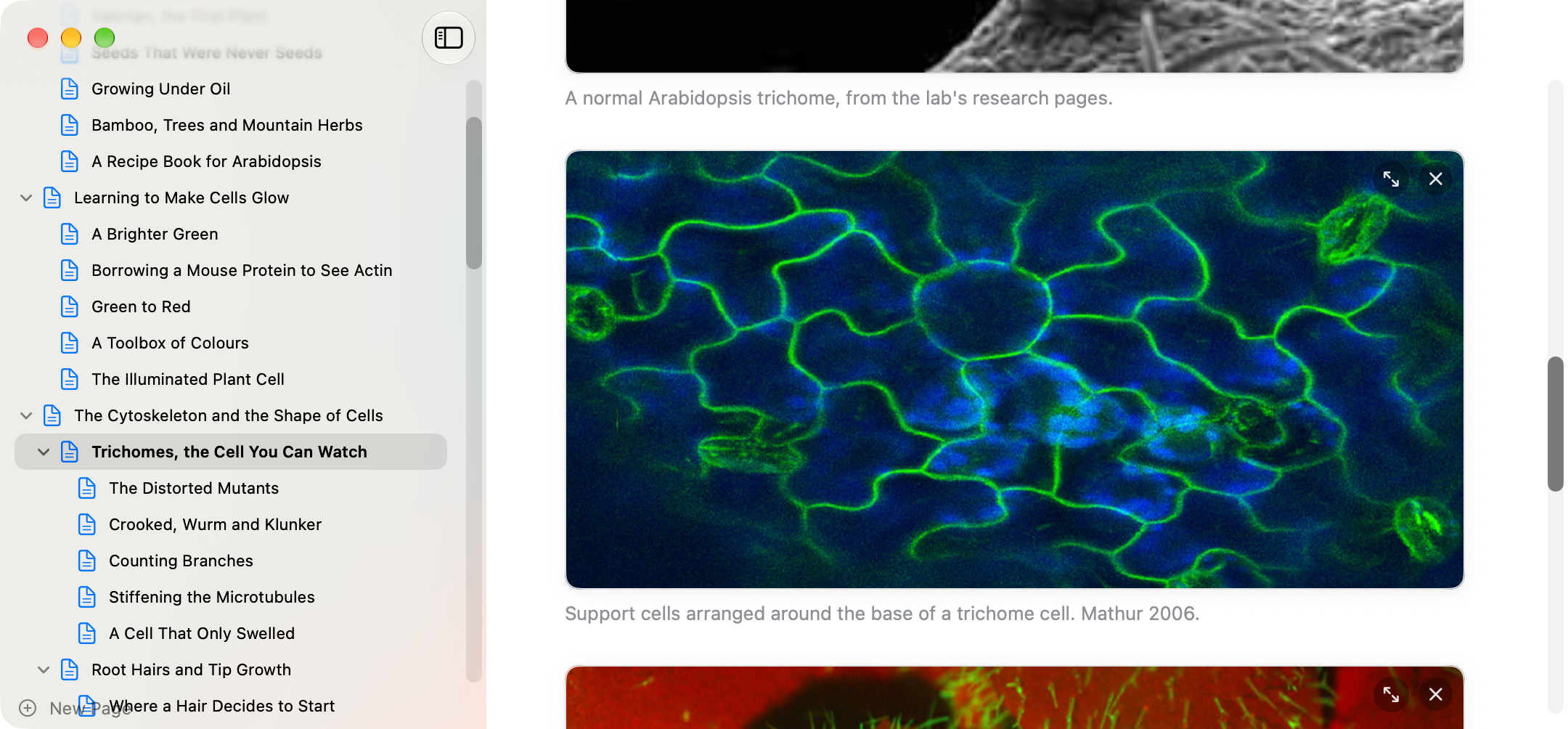
A page — intro text, a captioned image, notes right where you need them.
Download
Collect-1.8.0.zip (version 1.8.0, 1.1 MB, released 21 September 2026)
Requires macOS 14 or later. Apple Silicon only.
What it does
- Pages as folders — a page is a folder holding a title, intro
text, media, and references; any other folder is a section. Nesting is
unlimited, and rearranging pages in Finder rearranges the book.
- Two explicit drop wells — one for video and images, one for
reference PDFs. Nothing gets auto-sorted by file type.
- Notes beside every item — write what you observed right next to
the video or image it belongs to.
- Cinema mode — blow a photo or video up over the whole window to
look closely, without losing your place in the page.
- Live markdown — headers, emphasis, links, lists, tables,
footnotes, sub/superscript, styled as you type, with a raw-source toggle.
- Export to EPUB3 — the whole book, or just one section, as a book
for Apple Books that reflows to the reader's screen and text size, with
video embedded. Before it writes anything, it checks every video and tells
you which ones Apple Books won't play, so you don't find out from a dead
player in the finished book.
- Autosave, always — no save button anywhere; nothing is ever
lost mid-edit.
Known limitations
- Light mode only — the editor is built to match the exported book,
which has no dark variant.
- Video plays straight from the file in your book folder, and images and
PDFs are left exactly as you dropped them. The exception is a video Apple
Books can't play (anything that isn't H.264 or HEVC in an .mp4): the app
converts it in the background after the drop, the converted copy takes its
place in the book folder, and the copy it replaced goes to the Trash. The
file you dragged from stays where it was. Some formats, VP9 among them,
need ffmpeg installed first, and the app shows you the command to install
it if it's missing.
- Removing media or a reference sends it to the macOS Trash, not a
permanent delete — recoverable there until you empty it.
- There's no cloud sync. The book is a folder; back it up the way you'd
back up any folder.
Help / FAQ
- macOS says the app can’t be opened.
- If Gatekeeper still balks, open System Settings ▸
Privacy & Security, scroll down, and click Open
Anyway. You only need to do this once.
- Where does the book live?
- Wherever you pick — a folder on disk, or inside iCloud Drive/Dropbox if
you want it to sync. The app just reads and writes files there; there's no
separate database.
- Can I edit files by hand outside the app?
- Yes. Renaming, moving, or deleting files and folders in Finder is
supported — the app rescans the folder structure, not a hidden index.
- How do I get updates?
- Come back to this page and download the new version — the app doesn't
update itself. If your copy has a Check for Updates… menu item, it's
an old one and that item no longer finds anything; download from here
instead.
- Something broke.
- Please email what you did, what you expected, and what happened
instead — a screenshot helps.